Furniture at real sizes that adapts
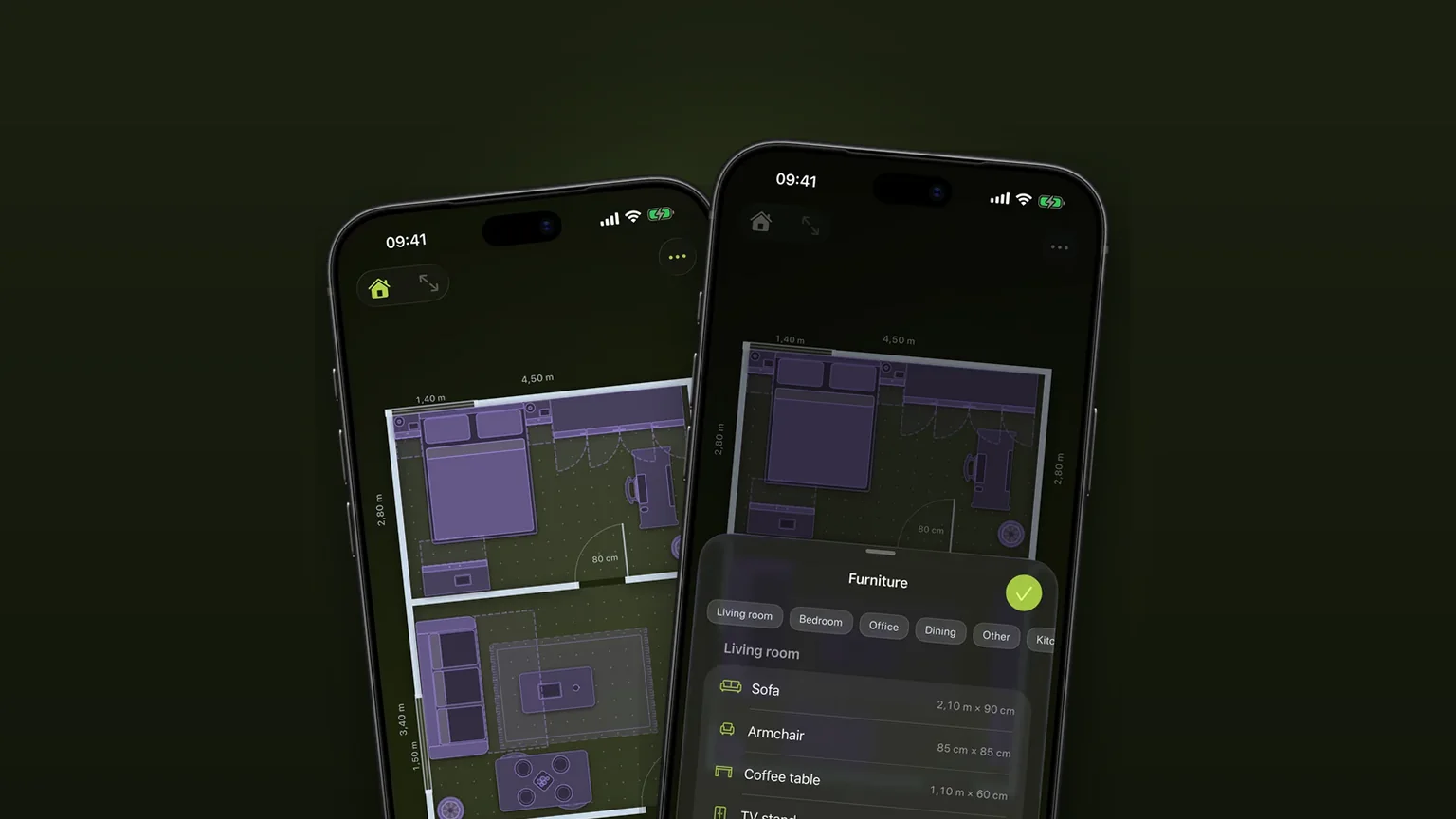
Scooch has 34 pieces of furniture that you drop into a room at a typical real size, then change to match the one you own or plan to buy. The drawing follows your numbers: a longer table sets more plates and a wider sofa gets more cushions.
 Scooch is an iPhone and iPad appPoint your iPhone camera at the code to install it.
or text me the link
What it does
You pick a piece from the Furniture list, it lands in your room at a typical size, and you type the real measurements from the shop listing or your tape measure. The piece is drawn from above at exactly that size, and its details change with it, so a 240 cm table does not look like a stretched 160 cm one.
That matters because a layout only answers "will it fit" if every piece is the right size. Apple's Measure app on iPhone measures real objects and saves the result, which tells you how big something is. It does not give you a room to put that object in next to a wardrobe, a door and a radiator. Scooch takes the number and shows the piece in the room. Drawing the room itself is covered in rooms drawn to their real size.
How it works
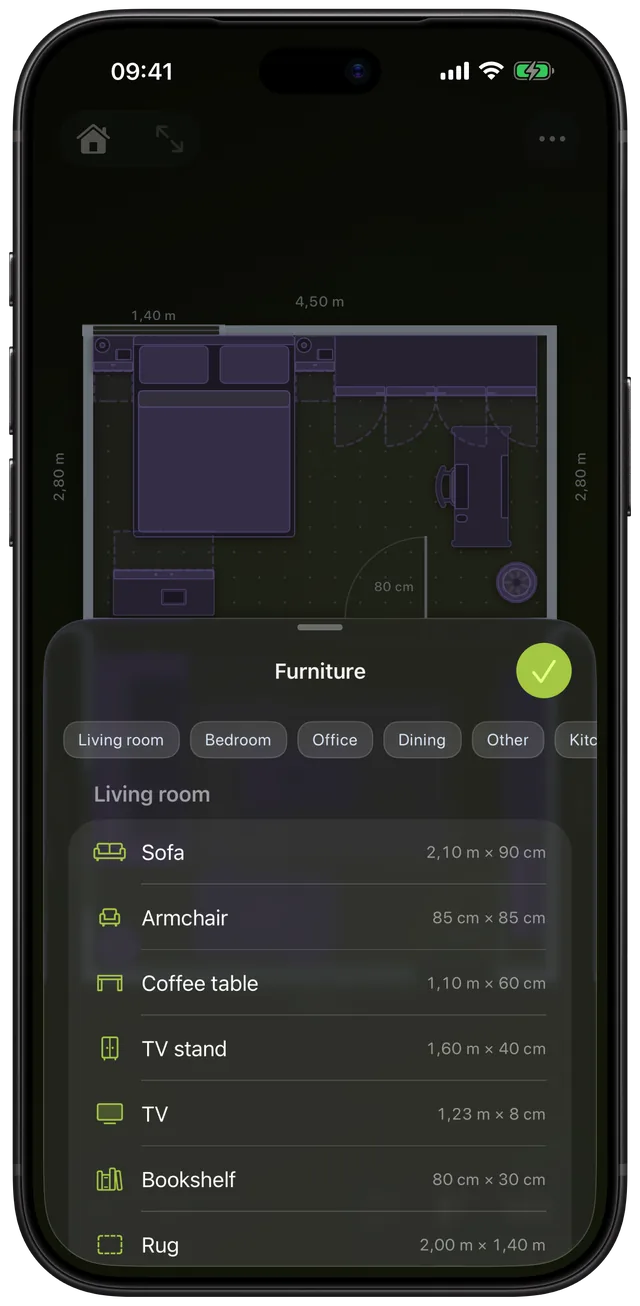
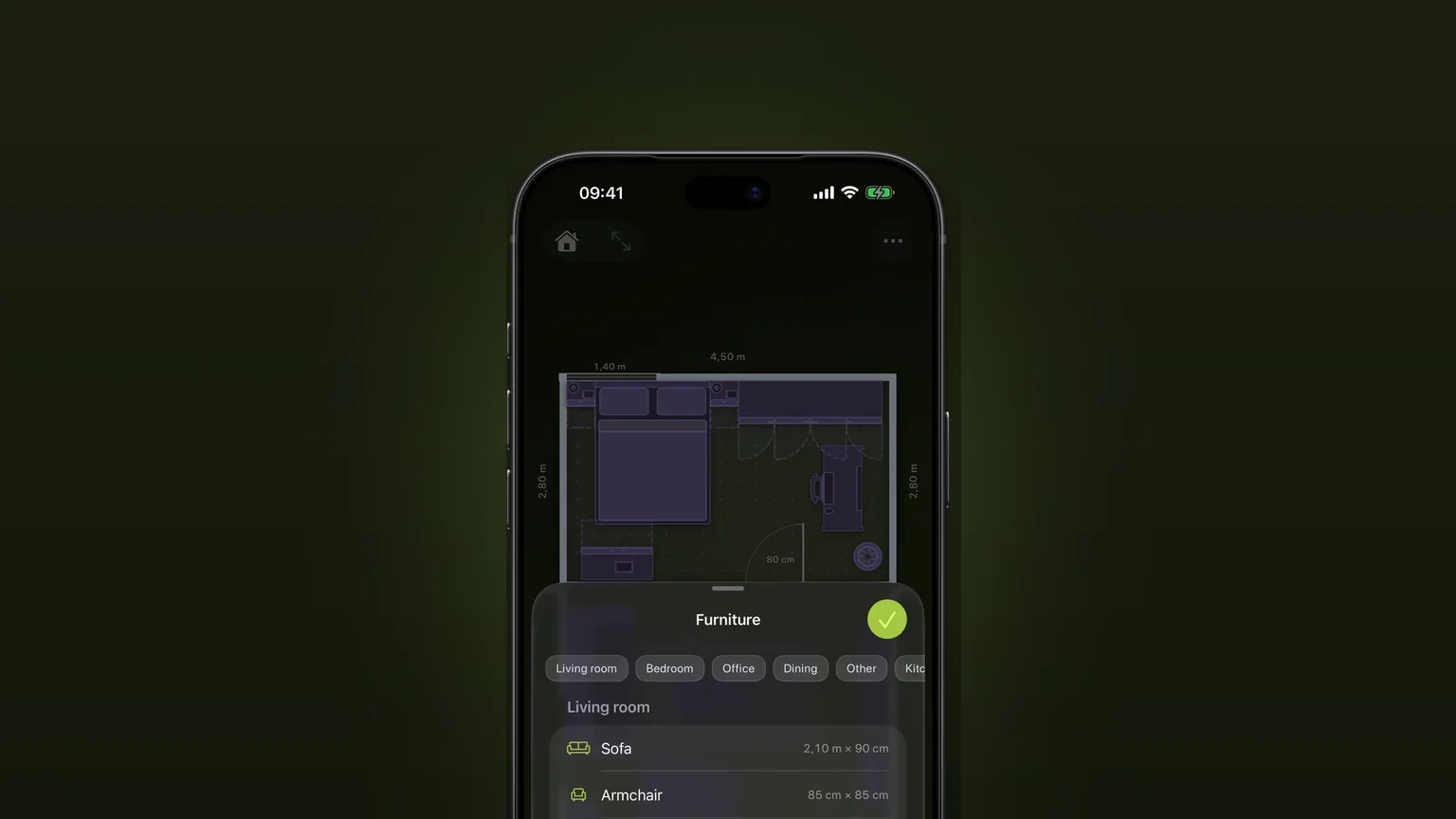
- Tap the Add Furniture button (the sofa icon) in the bottom toolbar. A sheet titled Furniture opens.
- Jump with the category pills (Living room, Bedroom, Office, Dining, Other, Kitchen, Bathroom) or scroll. Each row shows the default size, such as 2.10 m × 90 cm for the sofa.
- Tap a row. The piece lands in the selected room, or the first room, at the first free spot, and is already selected.
- In the panel at the bottom, type the real Width, Depth and Height. The value applies when you tap Done above the keyboard or move to another field.
- Or drag an edge handle to stretch the piece along one side, and drag the rotation handle to turn it. The panel also has Mirror, Duplicate and Delete buttons, and you can rename the piece in the name field.
Sizes are in centimetres or inches, following the Units setting. In imperial you type inches.
What changes when you resize
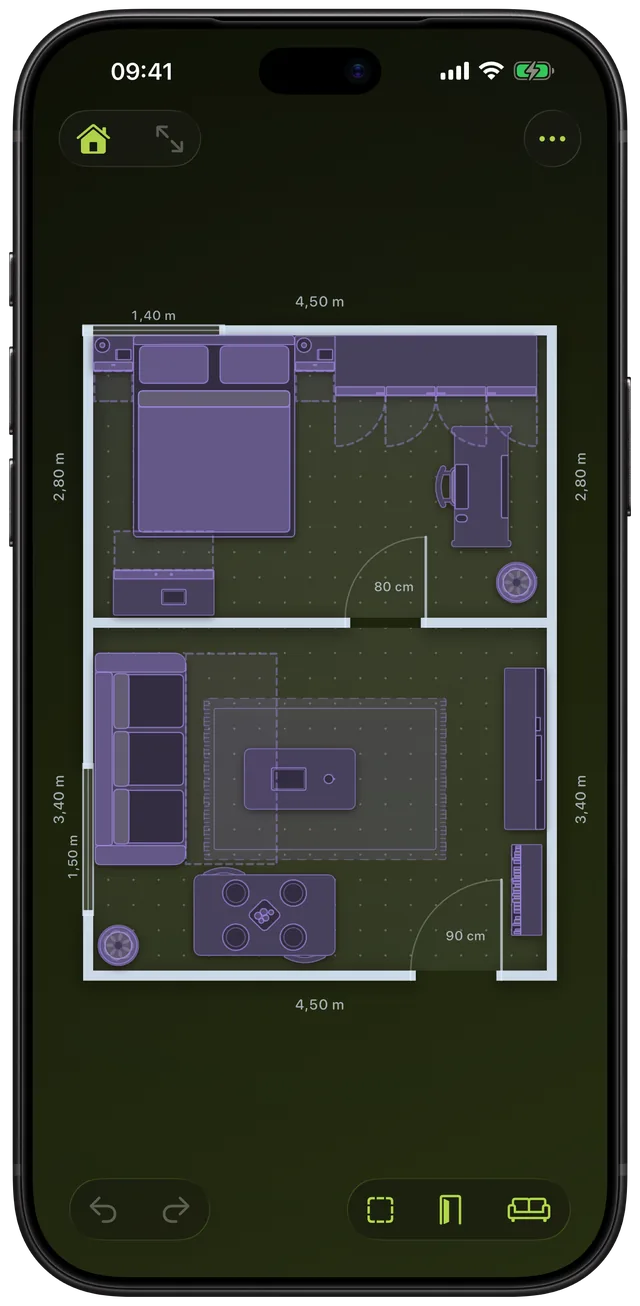
The drawing is rebuilt from the size, not scaled like a picture. A sofa's cushions have a maximum width, so a wider sofa gets more of them instead of fatter ones. The 210 cm default divides into three seats, and a 160 cm sofa into two. A dining table puts a plate on each long side for roughly every 62 cm of length, so the default 160 by 90 cm table shows six plates and a 240 cm table shows eight.
Doors on wardrobes and drawers on chests follow a typical front width, so a wider cabinet gets more fronts rather than wider ones. If you want to correct what the app chose, the panel has a customisation row for the pieces that support it. Doors and drawers also show the floor they need when they open, as dashed outlines.
Options
| Setting | Choices | Applies to |
|---|---|---|
| Width, Depth | Any size from 5 cm up, no upper limit | Every piece |
| Height | Any size from 1 cm up; empty goes back to the catalogue height | Every piece |
| Cushions | Auto, 1, 2, 3 or 4 | Sofa and armchair |
| Arms | Both, Left, Right, None | Sofa and armchair |
| Sofa bed | On or off | Sofa, armchair and corner sofa |
| Doors or Drawers | Auto or 1 to 4; None on cupboards and drawers | Wardrobe, kitchen counter, chest of drawers, nightstand, filing cabinet, fridge |
| Pull-out | Typed distance, up to the piece's depth (a bed's width) | Pieces with drawers |
| Legs | On, or off to fix the piece to a wall | TV and mirror |
| Mirror, Rotate, Duplicate | Flip left to right, turn, copy | Every piece |
The catalogue covers Living room (sofa, corner sofa, armchair, coffee table, TV stand, TV, bookshelf, rug), Dining, Bedroom (including bed, crib, wardrobe, nightstand and chest of drawers), Office, Kitchen, Bathroom, Other (plant, exercise bike, garbage bin, radiator, pet bed and a generic Box) and a section for pieces you draw yourself. A column, a pipe and a stub wall make 37 in all, and those three live in the Walls sheet because they belong to the building.
When to use it
Checking a sofa before you buy
Add a Sofa, type the width, depth and height from the listing, and put it where it would go. Our standard sofa dimensions guide helps if you only have a rough size. For L-shapes see the corner sofa dimensions guide.
Seating people at a table
Stretch the dining table to the size you can afford and watch the plates multiply. Then add Chairs and check the walkway behind them with the dining table clearance guide.
Fitting a bed and wardrobe into a small bedroom
Type the real mattress size into the Bed, add the Wardrobe and open its doors with the Doors setting. The guide to bed sizes and space around a bed lists the numbers.
Setting up a home office
A desk, an office chair, a filing cabinet and a bookshelf are one tap each. The chair tucks under the desk without being flagged as a clash.
Rearranging what you already own
Measure each piece once, type it in, then drag things around. Duplicate a chair instead of adding it six times. The layout guide gives an order to work in.
Limits
- Pieces are schematic. Each is a top-down outline with drawn detail, not a photo or a 3D model of a brand's product. There is no 3D view.
- The plates are drawings, not chairs. A longer table shows more place settings, but it does not add chairs. Add Chair pieces yourself.
- Whole numbers only. Sizes work in whole centimetres or inches, and dragging an edge never goes below 5 cm.
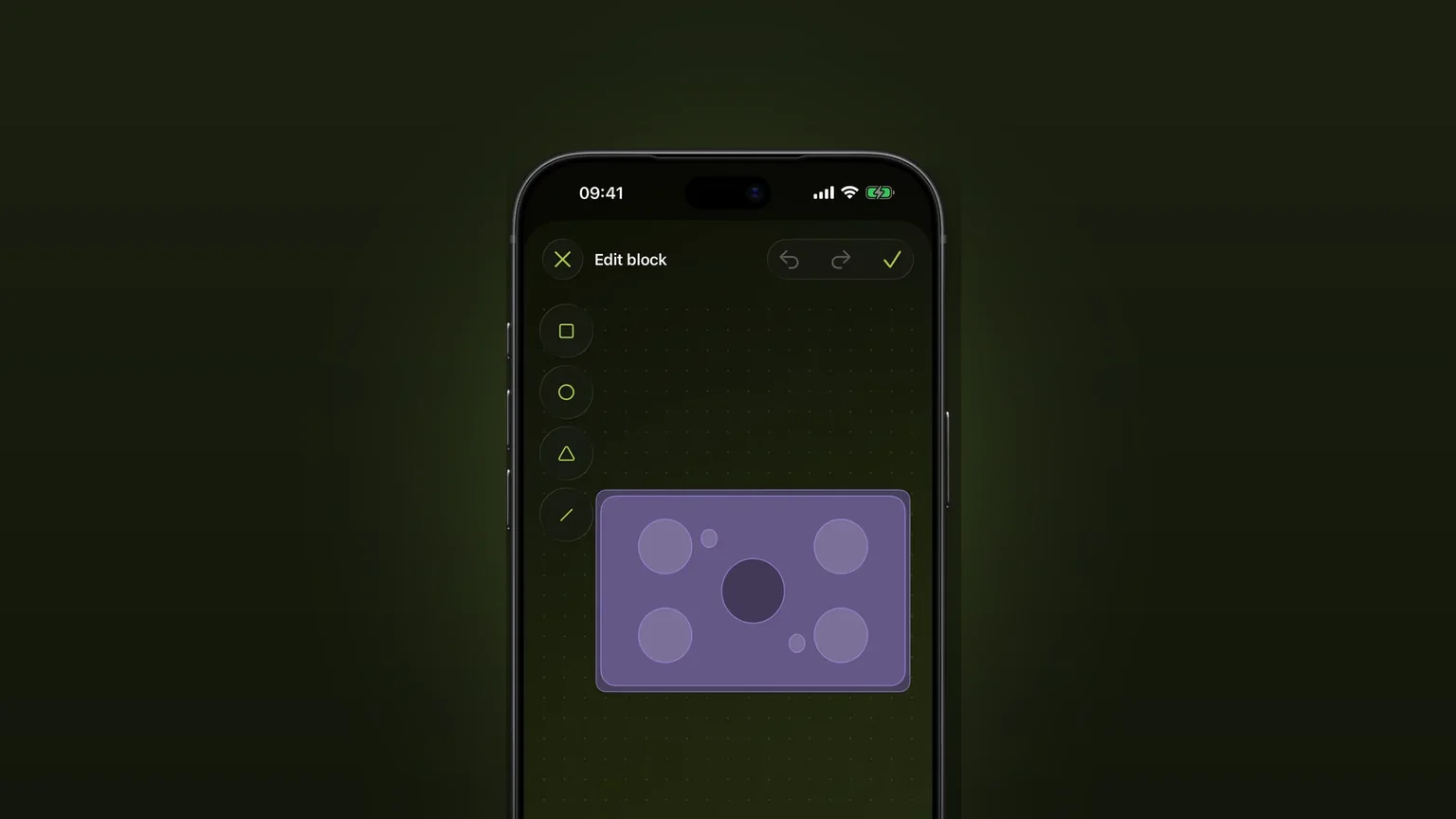
- The catalogue is fixed. There is no way to search a shop's range. For anything missing, draw your own piece in the Drawn by you section at the bottom of the Furniture sheet, or use the generic Box.
- Customisation is for some pieces. The cushion, arm, door and drawer controls appear only where the drawing has those parts.
- Setup is free, the rest is a one-time unlock. Scooch is free to download and the setup lets you try it. Continuing is a one-time unlock, not a subscription, and the price shows in the app before you buy.
Scooch needs iOS 26 or later, which includes the current iOS 27.2.
Frequently asked questions
Is there an app that helps you arrange furniture on iPhone?
Yes. Scooch draws your room at its real size and lets you add furniture from a list of 34 pieces. You type each piece's real width, depth and height, drag it into place and rotate it. It shows what fits from above, as a flat plan.
Is there a free furniture placement app for iPhone?
Scooch is free to download, and the setup lets you try placing furniture in a room. Carrying on after that is a one-time unlock, not a subscription. The price is shown in the app before you buy.
How do I see how furniture will look in a room?
Scooch shows it from above at true size, not as a photo or a 3D render. You see how much floor the piece takes, how it sits next to doors and other furniture, and whether it collides with anything. It answers whether it fits, not what it looks like.
Can I change the size of a piece of furniture?
Yes. Select the piece and type a new Width, Depth or Height, or drag an edge handle. The drawing updates with the size, so a wider sofa gets more cushions and a longer dining table gets more plates.
Does Scooch have the exact furniture I am buying?
No, it has typical pieces rather than shop products. You type the real dimensions from the listing instead, and the piece behaves as if it were that product. If a piece is missing, you can draw your own.
Sources
Try your own sizes in the room
Get Scooch on the App StoreMore features
Will it fit? Clash detection that turns red
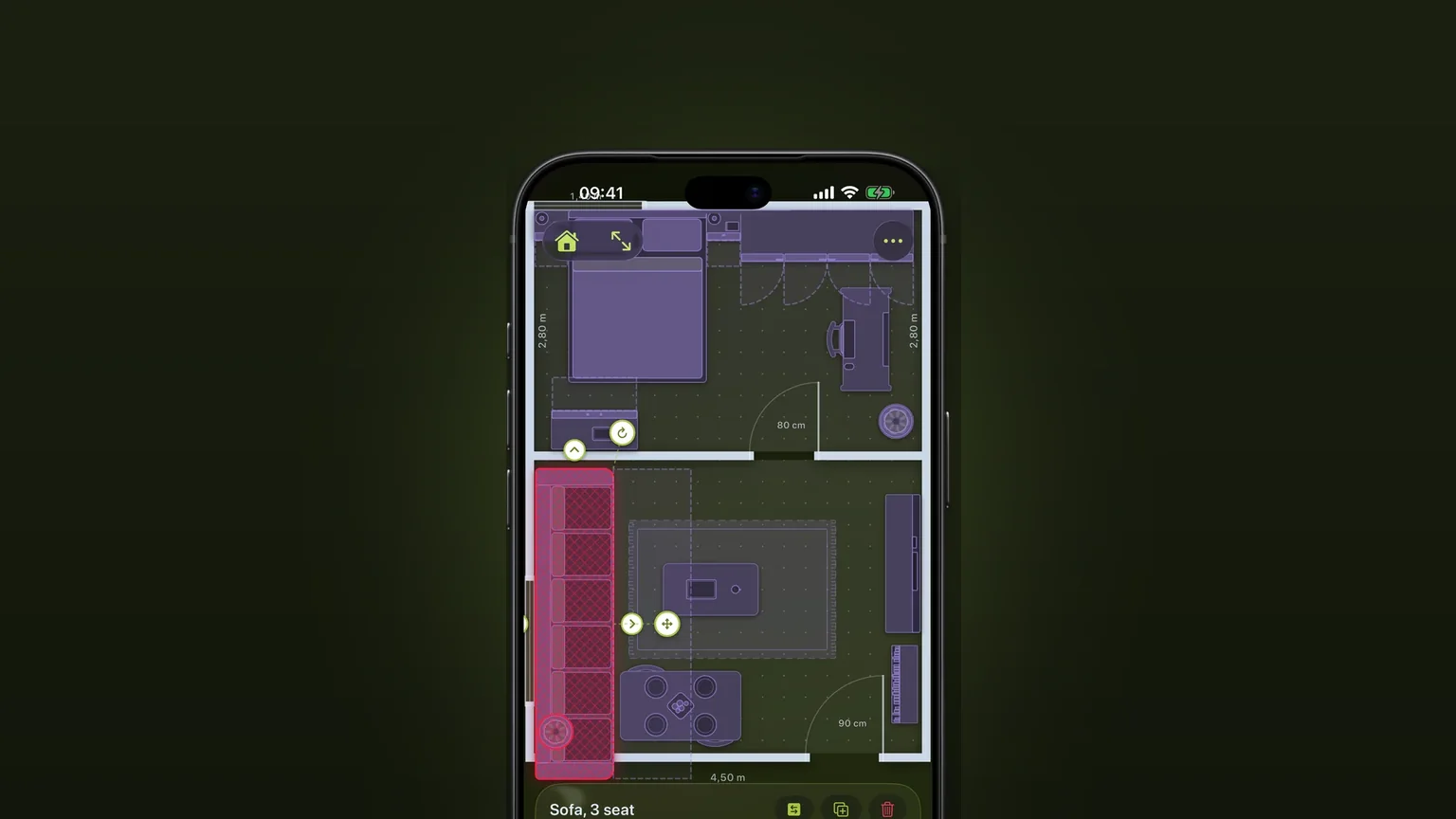
A piece that overlaps another, sticks out of the room or stands where a door or drawer has to open turns red as you move it.
Corner sofas and sofa beds
One L-shaped piece with its own depth on each side, and a sofa bed that pulls out to the corner.
Draw your own furniture, to scale
Draw a piece the catalogue lacks from shapes, type its width, depth and height, and place it in any plan.