Will it fit? Clash detection that turns red
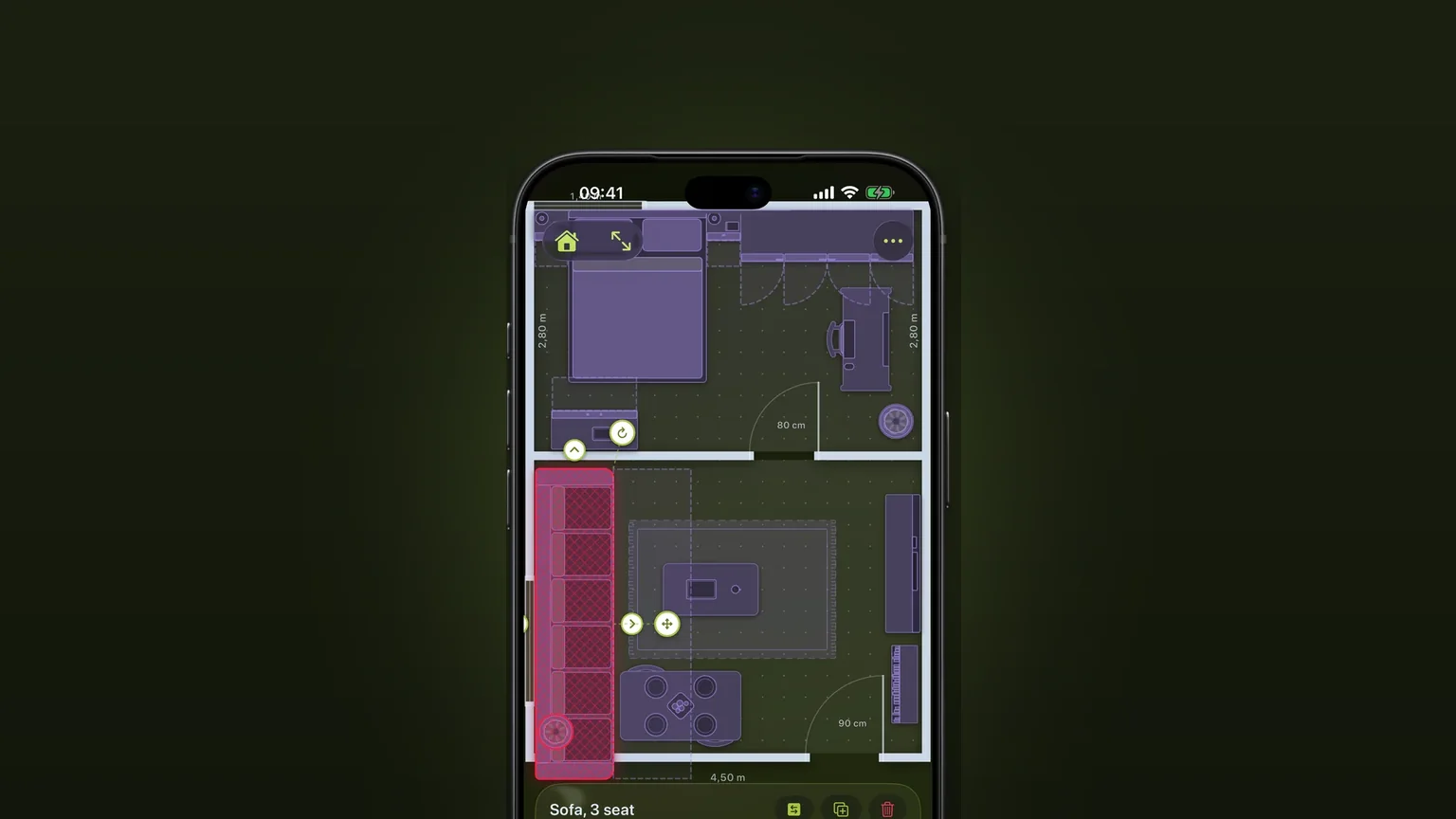
Scooch checks every piece of furniture against the room and against everything else in it, all the time. A piece that overlaps another, sticks out past the walls or stands where a door or drawer has to open turns red.
 Scooch is an iPhone and iPad appPoint your iPhone camera at the code to install it.
or text me the link
What it does
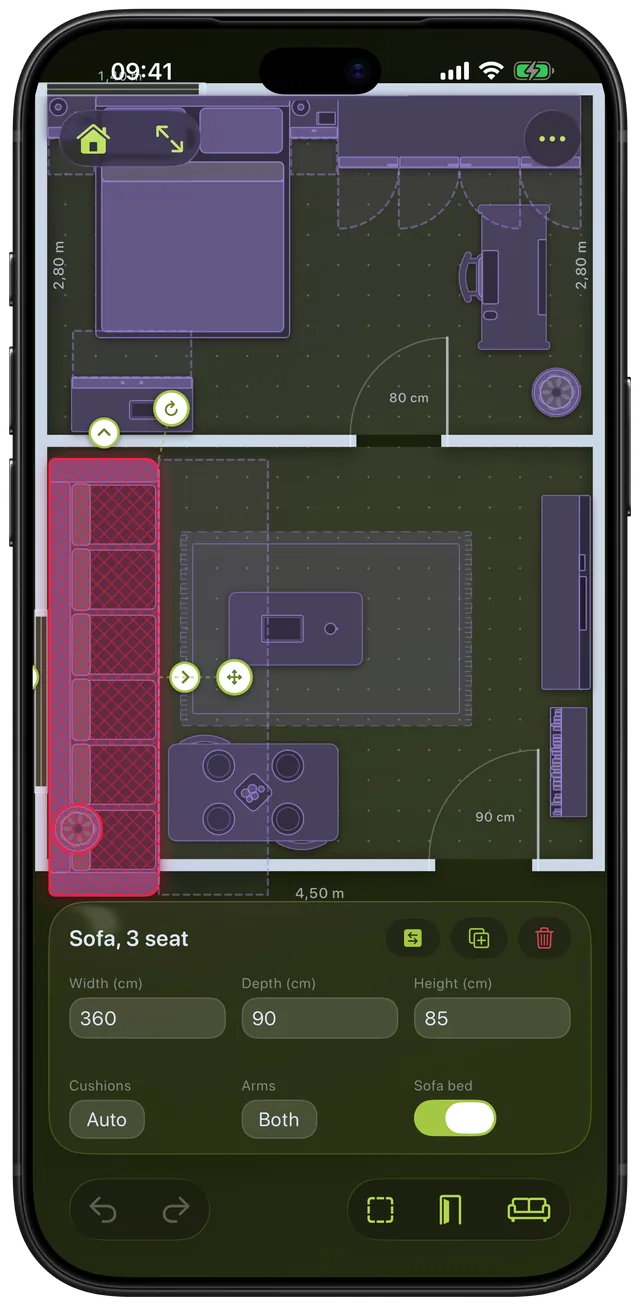
Move or resize a piece and Scooch re-checks the whole plan straight away. A piece is flagged when it overlaps another piece, when any part of it is outside the room, or when it stands in the floor area a door or a drawer needs to open. Flagged pieces get a red wash, a crossed hatch and a soft red glow, so you can find them without reading anything.
Built-in apps do not do this. The Notes app can hold a hand sketch, and the Measure app covers measuring the dimensions of objects (Apple's iPhone guide covers measuring dimensions and saving measurements). Neither one knows where a wall is, so neither can tell you that a 210 cm sofa will not fit in a 200 cm alcove. Scooch can, because the room and the piece are both drawn at real size (see rooms drawn to their real size and furniture at real sizes).
How it works
- Draw your room, or open a plan you already have. The inside edge of the walls is the limit a piece must stay within.
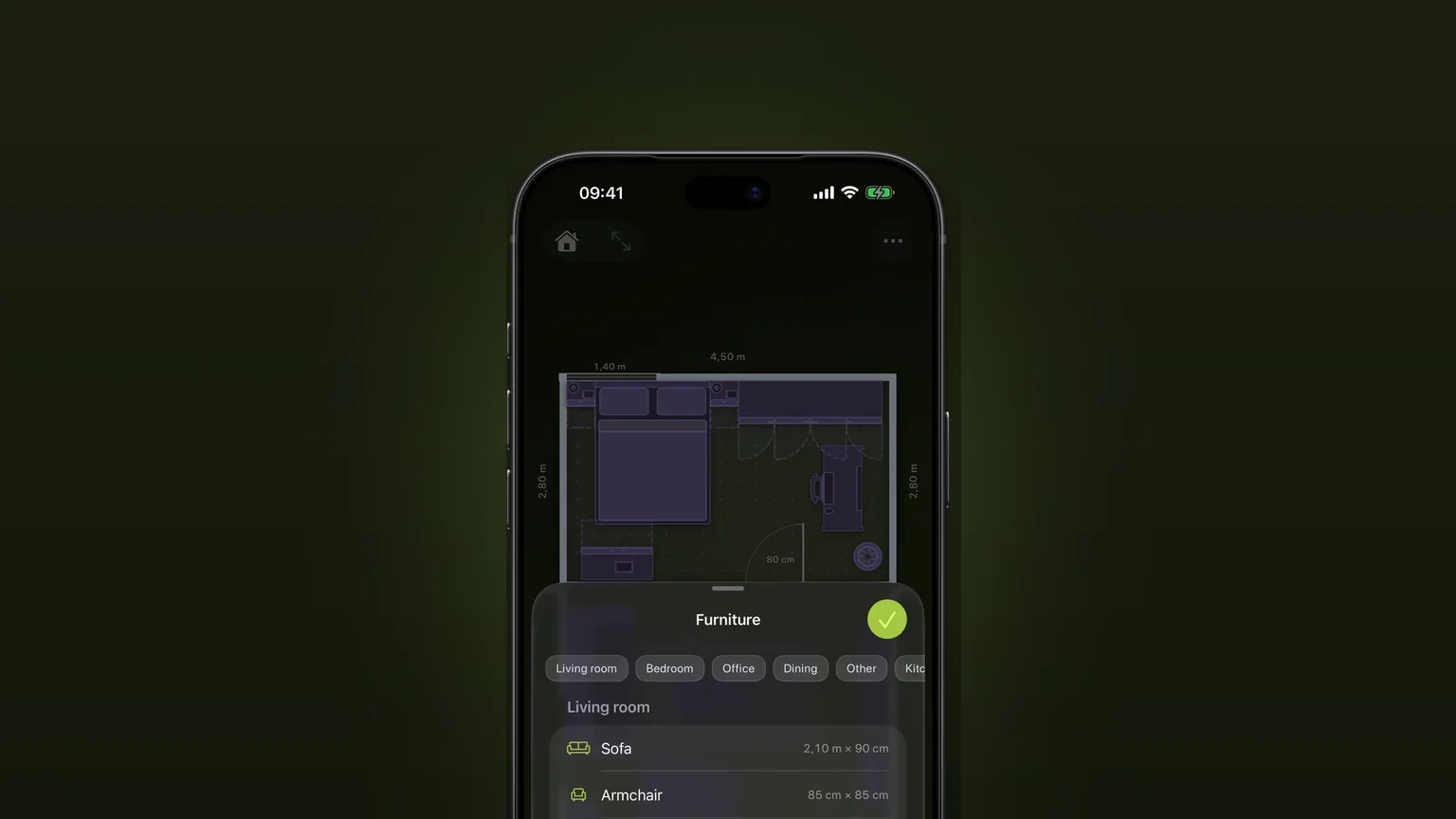
- Tap the sofa icon in the bottom toolbar to open the Furniture sheet and tap a piece to add it.
- Type the real Width, Depth and Height in the panel at the bottom, or drag the piece and its edge handles.
- Watch the piece. If it turns red, something is wrong. If you are dragging it, your iPhone also gives a medium tap the moment it starts to clash.
- Move it, turn it with the rotation handle or shrink it until the red goes. Nothing needs switching on. The check is always running.
Two pieces that only touch do not count as overlapping, and a piece pushed flush against a wall stays valid. The check allows about half a centimetre of contact between pieces and a centimetre of give at the walls, so a sofa tight against the wall is fine.
What it flags
| Situation | Result |
|---|---|
| Two pieces overlap | Both turn red |
| Any part of a piece is outside the room | The piece turns red |
| A piece stands in a door's swing | The piece turns red and the swing is drawn in the warning colour |
| A piece stands where a wardrobe door or a drawer opens | The piece turns red and the blocked door or drawer is drawn in the warning colour |
| A piece covers a wall switch or outlet | The wall plate is marked as blocked |
| A chair tucked under a desk or table | Fine, not flagged |
| A rug under a table | Fine, a rug never clashes with other pieces (it is still flagged if it sticks out past the walls) |
The exceptions exist because a plan is flat and real rooms are not. Each kind of piece belongs to a height band: solid pieces such as a wardrobe, fridge or bed clash with everything, low pieces such as chairs, sofas and coffee tables can slide under a work surface such as a desk or dining table, and things that hang above or sit on a surface, such as a wall TV or a basin on a vanity, can share its floor area. Two sofas, or a sofa and a coffee table, still clash, because two low pieces cannot share floor.
The same check covers building pieces. A column, a pipe or a stub wall is never flagged for being outside the floor, because those often sit in or against a wall. But furniture placed on top of one is a clash, because a sofa cannot occupy a column. Chairs and office chairs are exempt from swing checks, since a desk chair is pulled out all day.
When to use it
Before you buy a sofa
Drop in a Sofa, type the width and depth from the listing and push it into the spot you have in mind. If it turns red against the wall or the next piece, it does not fit. Our standard sofa dimensions guide helps when you only have a rough size.
Fitting a wardrobe where the door still opens
A wardrobe can fit the alcove and still be useless if the doors hit the bed. Scooch draws the floor the doors need, and the bed turns red if it stands in it. See doors and windows for how door swings work.
Squeezing in a dining table
Stretch the table until something turns red, then back off a little. Chairs tucked under the table are not flagged, so the check cannot tell you whether people can pull them out. Look at the walkway yourself. The dining table clearance guide gives the gap to aim for.
Planning a move
Measure each piece once, add it to the new flat's plan and drag it around. The red pieces are the ones that will not work, so you find out before the removal van arrives. The layout guide gives an order to work in.
Rearranging a room you already own
Move the wardrobe in the plan, not in the room. If nothing is red, the new layout is physically possible.
Limits
- It does not check walkways. The check is about overlap, the room edge and door or drawer swing. A gap that is too narrow to walk through is not flagged. Judge that with the sofa, coffee table and TV spacing guide.
- It does not check delivery. Scooch says whether a piece fits in the finished room, not whether it will go through a door, round a stair turn or into a lift. Measure those separately.
- Overlap goes by the kind of piece, not the height you typed. Whether two pieces may share floor depends on the band their kind belongs to, so typing a taller height does not change it. The door, drawer and wall plate checks do use the height you type.
- It cannot be switched off or tuned. There is no setting for strictness.
- Exports are clean. PNG and PDF exports leave out the red marks, so a plan you send to someone shows furniture, not warnings.
- It is a top-down flat plan. There is no 3D view, and walls are straight rectangles.
Scooch needs iOS 26 or later, which includes the current iOS 27.2. It is free to download, and continuing after the setup is a one-time unlock, not a subscription.
Frequently asked questions
How do I check if furniture will fit in a room?
Draw the room at its real size, add each piece and type its real width and depth. In Scooch a piece turns red if it overlaps another piece, sticks out past the walls or stands where a door or drawer has to open. If nothing is red, the layout fits.
Is there an app that tells me if my furniture will fit?
Yes. Scooch is an iPhone app built for exactly that question. It draws your room and your furniture from above at true size and flags clashes as you drag. It does not show what things look like, only whether they fit.
Will my couch fit through the door?
Scooch cannot tell you. It checks whether a piece fits in the finished room, not whether it can be carried through a doorway, up stairs or into a lift. For those, measure the narrowest point on the route against the couch's depth and height.
Why is my chair not flagged when it overlaps the desk?
A chair can slide under a desk or table, so Scooch treats that overlap as fine. Low pieces such as chairs, sofas and coffee tables may share floor area with a work surface. Solid pieces such as a wardrobe or a bed still clash with everything.
Does Scooch check that I can walk around furniture?
No. It flags overlaps, pieces outside the room, and pieces in the way of a door or drawer opening. A narrow gap between two pieces is not flagged, so check walking space yourself with the spacing guides.
Sources
Find out if it fits before you buy
Get Scooch on the App StoreMore features
Corner sofas and sofa beds
One L-shaped piece with its own depth on each side, and a sofa bed that pulls out to the corner.
Draw your own furniture, to scale
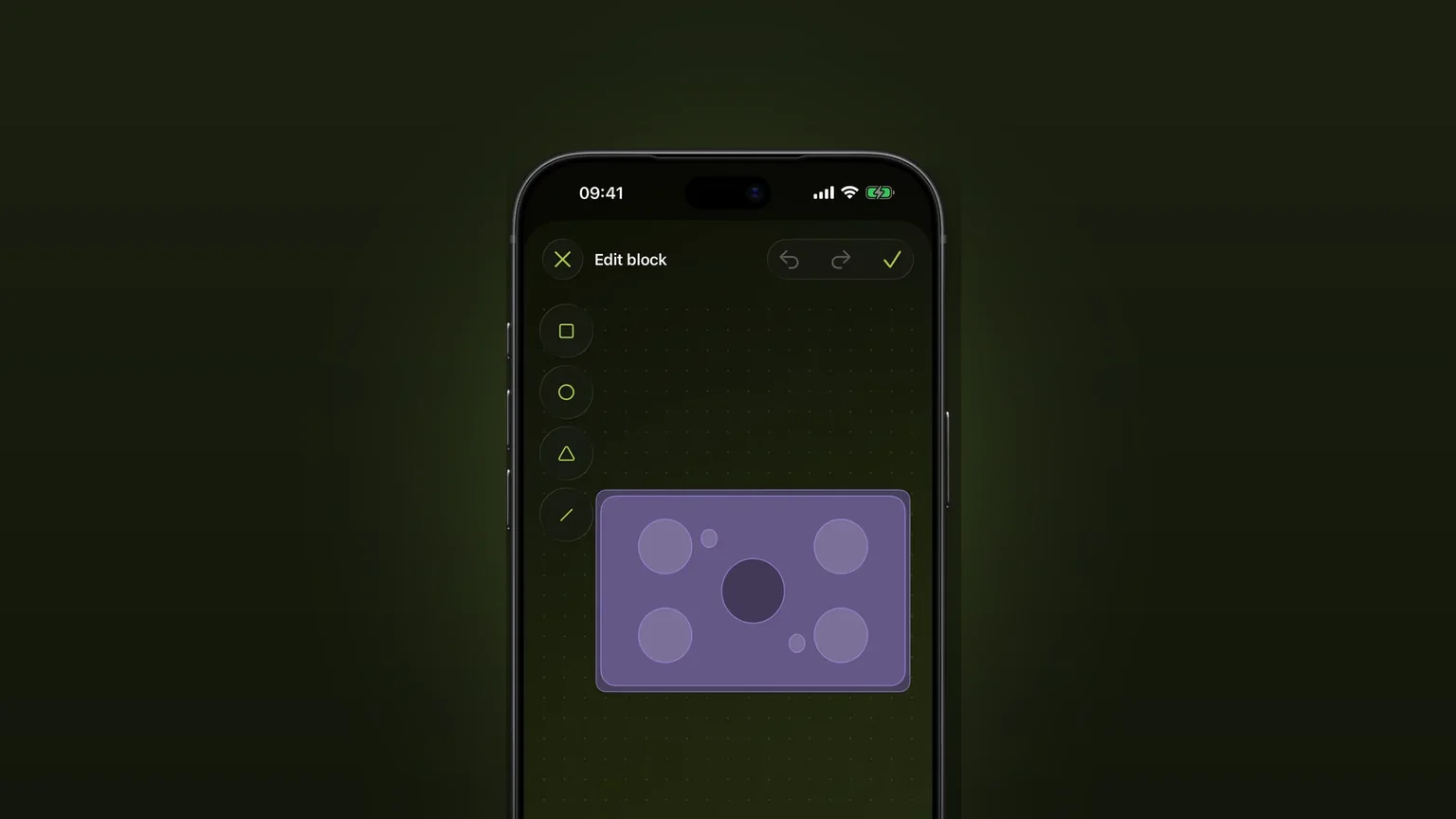
Draw a piece the catalogue lacks from shapes, type its width, depth and height, and place it in any plan.
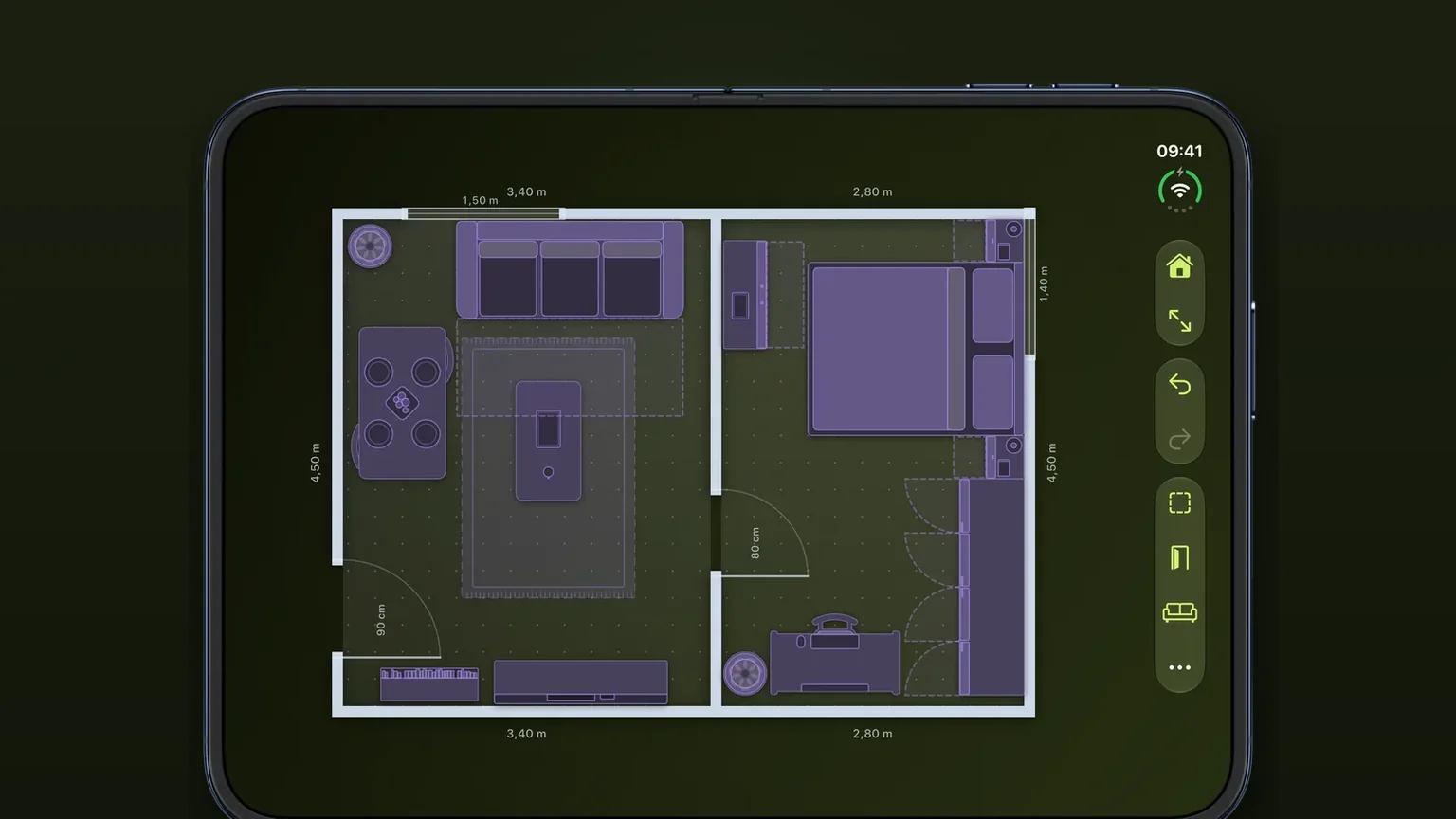
Doors, windows and arches with swing arcs
Doors, windows and arches slide along any wall at their real width, and every door draws the arc it needs to open.